



Work today feels like a constant juggling act. With full inboxes, meetings that never end, and deadlines that are too tight, it’s easy to feel like there’s never enough time. It’s hard for a lot of us to stay on task, stay focused, and make time for creative thinking.
That’s where AI comes in—not as a trendy thing, but as a helpful tool. AI productivity tools take boring, repetitive tasks off your plate so you can concentrate on what’s really important. Whether it’s writing, organizing, or automating, these tools help you work smarter, not harder.
In this guide, we’ll walk through 10 powerful AI tools that can transform how you work—personally and professionally. Each one offers unique features to help you save time, stay organized, and get more done with less stress.
The New Era of Productivity: Why AI is a Game-Changer
We’re not just talking about automation anymore. AI is changing the way we work at a deeper level. It’s not just about doing tasks faster—it’s about doing them better.
Modern AI tools can analyze data, predict outcomes, and offer personalized support. They learn from your habits and help you make smarter decisions. This shift marks a big leap from traditional software, which followed instructions. Now, AI tools can adapt, assist, and even anticipate your needs.
Think of it as moving from manual labor to intelligent collaboration. AI isn’t replacing us—it’s helping us focus on what we do best.
Criteria for Selecting the Top AI Tools
To make this list, each tool had to meet a few key standards:
- Ease of Use: You shouldn’t need a tech background to get started.
- Integration Capabilities: The tool should seamlessly integrate with your existing applications and systems.
- ROI and Time Savings: It should clearly save you time or improve your output.
- User Feedback and Popularity: Strong reviews and a loyal user base matter.
- Alignment with Productivity Goals: Whether it’s writing, scheduling, or collaboration, the tool should help you accomplish more.
These criteria ensure that each tool is not only powerful but also practical for everyday use.
The Top 10 AI Productivity Tools
AI Writing and Research Tools
1. ChatGPT
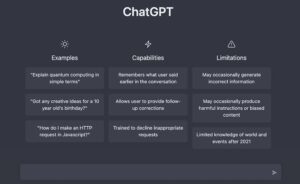
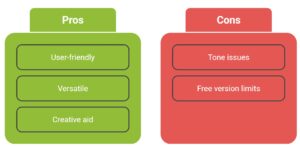
ChatGPT is a versatile writing assistant that assists with tasks ranging from drafting emails to generating ideas and content. It’s excellent for summarizing documents, answering questions, and even breaking down complex topics into simple language.
Key Features
When you’re stuck, it helps spark fresh ideas and simplify complex topics. It also turns rough thoughts into polished, clear content. Whether you’re writing, brainstorming, or just trying to explain something clearly, it makes the process faster and more imaginative. Best of all, it translates technical jargon into everyday language—so your message actually lands.
Use Case
Perfect for writers, marketers, and anyone who needs help with written communication.
Pricing
A free version is available; paid plans offer faster and more advanced features.
2. Perplexity AI
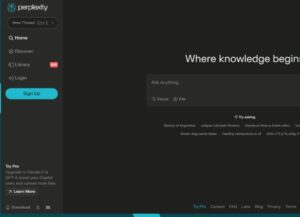
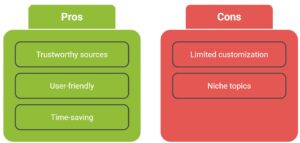
Perplexity AI is designed for fast and accurate research. It gives you answers with citations and links to sources, making fact-checking a breeze.
Key Features
Perplexity AI acts like an innovative search engine. It provides quick answers backed by reliable sources and includes links, allowing you to verify the facts yourself. Follow-up inquiries might help you dive deeper into the subject if you require more information.
Use Case
Ideal for researchers, students, and content creators who need reliable information quickly.
Pricing
Free with optional upgrades.
3. Grammarly
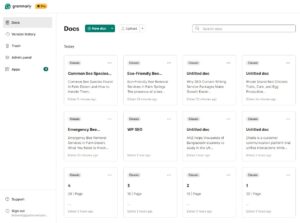
Grammarly is your personal writing editor. It checks grammar, spelling, and tone, helping you sound polished and professional.
Key Features
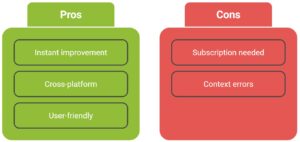
Grammarly keeps your writing clean and professional. It checks your grammar and spelling in real time, suggests better ways to phrase things, and helps you strike the right tone—whether you’re writing a casual email or a formal report.
Use Case
Great for anyone writing emails, reports, or content that requires clarity and accuracy.
Pricing
Free and premium plans available.
Meeting and Transcription Tools
4. Otter.ai
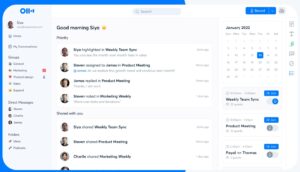
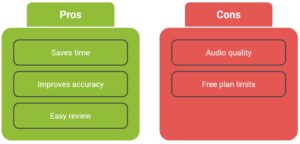
Otter.ai records and transcribes meetings in real time. It highlights key takeaways and allows you to search transcripts, enabling you to stay focused during the conversation.
Key Features
Otter.ai listens in during meetings and turns everything into searchable text. It transcribes conversations as they happen, highlights key points, and lets you go back and find exactly what was said—so you don’t have to rely on memory or scribbled notes.
Use Case
Perfect for teams, remote workers, and anyone tired of taking notes.
Pricing
Free and paid plans available.
5. Fireflies.ai
Fireflies.ai transcribes meetings, summarizes discussions, and automatically assigns action items. It integrates with tools like Zoom, Slack, and CRMs.

Key Features
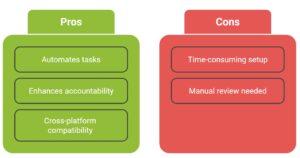
Fireflies.ai isn’t just a meeting recorder—it’s your behind-the-scenes teammate.
It listens in, captures the full conversation, pulls out action items, and syncs everything with tools like Zoom and Slack. So while you focus on the discussion, Fireflies keeps track of what needs to happen next.
Use Case
Ideal for teams that want to streamline meeting follow-ups.
Pricing
Tiered pricing based on usage.
Project and Task Management Tools
6. Notion AI
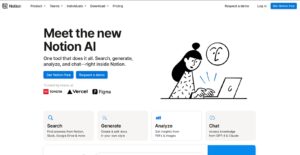
Notion AI adds innovative features to the popular workspace app. It can summarize pages, generate content, and help you search your notes using natural language.
Key Features
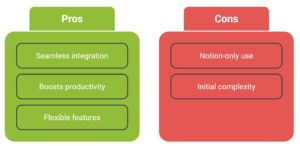
Notion AI enhances your workspace with innovative features. It can write content for you, summarize long pages, and help you find information using natural language—so you don’t have to dig through folders or search manually.
Use Case
Great for teams using Notion for project management and documentation.
Pricing
Included with Notion plans.
7. ClickUp AI
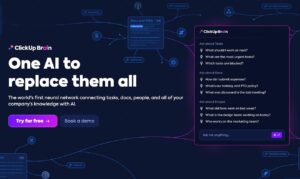
ClickUp AI helps you manage tasks, generate ideas, and prioritize work. It centralizes everything so you don’t have to jump between apps.
Key Features
ClickUp AI helps you stay on top of your projects. It can automate tasks, summarize documents, and even generate new ideas. Everything lives in one place, so you don’t waste time switching between apps or losing track of your work.
Use Case
Ideal for teams managing multiple projects and deadlines.
Pricing
Free and premium tiers.
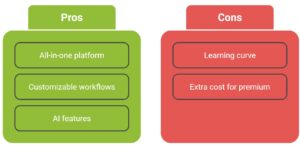
8. Motion
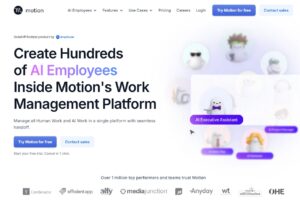
Motion is a brilliant planner that schedules your tasks, meetings, and deadlines into your calendar. If something changes, it automatically reorganizes your day.
Key Features
Motion acts like a personal planner that builds your schedule for you. It reviews your tasks, meetings, and deadlines, then schedules everything into your calendar. If something changes, it automatically reshuffles your day to keep you focused on what matters most.
Use Case
Perfect for busy professionals who want to stay focused without manual planning.
Pricing
Subscription-based.
Workflow and Communication Automation
9. Zapier
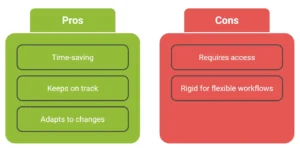
Zapier connects thousands of apps and automates tasks between them. You can build workflows using simple commands—no coding needed.

Key Features
Zapier connects your favorite apps and helps them work together. You can set up custom workflows using simple instructions, so tasks like sending emails, updating spreadsheets, or posting to social media happen automatically—without any coding.
Use Case
Great for marketers, sales teams, and anyone managing repetitive tasks.
Pricing
Free and paid plans.
10. Reclaim.ai
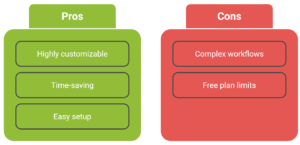
Reclaim.ai helps you manage your time by syncing with your calendar and scheduling tasks around your priorities. It protects your focus time and adjusts as things shift.

Key Features
Reclaim.ai helps you take control of your time. It syncs with your calendar, blocks out time for focused work, and adjusts your schedule as priorities shift. It’s designed to protect your productivity while keeping your day flexible.
Use Case
Ideal for professionals seeking greater control over their time.
Pricing
Free and premium options.
Comparison Table (Optional but powerful for SEO and UX)
| Tool | Best For | Key Features | Pricing | Ease of Use |
| ChatGPT | Writing & brainstorming | Text generation, summarization, and idea creation | Free & Paid tiers | ⭐⭐⭐⭐ |
| Perplexity AI | Fast research | AI search, source citations, follow-up questions | Free & Premium | ⭐⭐⭐⭐ |
| Grammarly | Polishing writing | Grammar check, tone suggestions, clarity improvements | Free & Premium | ⭐⭐⭐⭐⭐ |
| Otter.ai | Meeting transcription | Real-time transcription, summaries, searchable notes | Free & Paid plans | ⭐⭐⭐⭐ |
| Fireflies.ai | Team collaboration | Transcription, action items, CRM integration | Tiered pricing | ⭐⭐⭐ |
| Notion AI | Knowledge management | Brilliant writing, page summaries, natural language search | Included in Notion | ⭐⭐⭐⭐ |
| ClickUp AI | Project management | Task automation, idea generation, document summaries | Free & Premium | ⭐⭐⭐ |
| Motion | Smart scheduling | Calendar sync, auto-rescheduling, task prioritization | Subscription-based | ⭐⭐⭐⭐ |
| Zapier | Workflow automation | App integrations, custom workflows, natural commands | Free & Paid plans | ⭐⭐⭐ |
| Reclaim.ai | Time management | Smart scheduling, focus time protection, and calendar sync | Free & Premium | ⭐⭐⭐⭐ |
How to Choose the Right AI Tool for Your Needs
Start by figuring out what’s slowing you down. Are you spending hours writing? Losing track of meetings? Constantly jumping between apps? Once you know your biggest productivity pain points, you can pick the right tool for the job.
If you’re working solo, lightweight options like Grammarly or Motion might be all you need. For teams, something more powerful—like ClickUp or Notion AI—can help everyone stay aligned. Try a few tools before locking one in, and make sure it fits how you work and can grow with you.
The Future of Artificial Intelligence in Productivity
AI is moving fast, and it’s changing how we work in ways we couldn’t imagine a few years ago. We’re seeing more competent assistants, deeper automation, and tools that feel like they were built just for you. Before long, AI won’t just help you get things done—it could run entire workflows behind the scenes.
But with all this progress, we can’t ignore the bigger questions. We must be careful about the tools we select as AI becomes a part of our daily lives. Do they protect your privacy? Do they align with your principles? These are not solely technological choices. They are private ones.
Productivity in the future involves more than just speed. The future of productivity isn’t just about speed. It’s about working with intention, using tools that support your goals, and building systems that feel more human, not less.
Conclusion
AI tools are transforming the way we work—making everyday tasks faster, easier, and more focused. They help us save time, reduce stress, and shift our energy toward what really matters. Whether you’re writing content, planning projects, leading meetings, or automating repetitive tasks, there’s an AI tool designed to support you.
The key is to start small. Try one or two from this list and see how they fit into your routine. You don’t need to overhaul everything overnight—find what works and build from there. As these tools become part of your workflow, you’ll notice more space to think, create, and lead with intention.
The future of productivity isn’t just about doing more—it’s about doing better, with tools that work for you.