



Technology keeps us connected through multiple devices, including smartphones, laptops, tablets, and even smart appliances such as refrigerators and doorbells. It’s convenient, sure. But every connected device is also a potential entry point for cybercriminals looking to steal your personal data.
That’s where endpoint security comes in. It’s the digital armor that protects your devices, like your phone or computer, from threats like hackers, malware, and viruses. Because let’s be honest, no one wants to wake up to a compromised device or missing data.
In this article, we’ll break down why endpoint security matters and share simple, effective ways to keep your devices safe. If you’ve ever worried about getting hacked or losing sensitive info, this guide is for you.
What is Endpoint Security?
So, what is endpoint security, really?
Think of it as a digital lock for every device you use to access the internet, your phone, laptop, tablet, and even smart home gadgets like thermostats or doorbells. These are called “endpoints,” and they serve as the front doors to your digital life.
Without proper protection, those doors are wide open for cybercriminals. Hackers can infiltrate systems and steal everything from personal photos to sensitive business files. That’s why endpoint security matters—it’s about keeping those devices safe from malware, viruses, and unauthorized access.
In short, if it connects to the internet, it needs to be protected. Because once your data’s out there, getting it back isn’t so simple.
The Basics of Endpoint Security
What Are Endpoints?
Endpoints are just the devices that connect to your network. This includes everything from your laptop and smartphone to more specialized devices, such as servers and other specialized equipment. Because these devices are how you access the internet, they also serve as entry points for hackers to steal or damage your data. It’s like leaving the door wide open for intruders if you don’t have proper security in place.
Why Endpoint Security Is Important
It would be like leaving your front door open if you didn’t secure your equipment. Cybercriminals are constantly seeking easy targets, and if they gain access, they may cause significant harm. They can steal your personal data, install malware, or even take complete control of your device.
One of the most common tricks they use is phishing. It’s when they pose as someone trustworthy and fool you into handing over sensitive info. Other times, they slip in malware that quietly wreaks havoc behind the scenes without you even realizing it.
Endpoint security is, therefore, more than simply a trendy term in technology. It’s a must-have. In today’s connected world, protecting your devices means safeguarding your life, including your photos, your work, and your privacy.
Common Threats to Endpoints
Malware and Viruses
Malware is similar to an intrusion in the digital realm. It’s harmful software that sneaks onto your device and can do serious damage. It might steal your personal files, compromise your system, or even grant hackers remote control without your knowledge.
It often spreads through methods such as shady email attachments, sketchy downloads, or websites that appear to be legitimate but are not. And once it’s in, it doesn’t need your permission to cause chaos. From corrupting your device to leaking sensitive data, malware can turn a simple click into a significant headache.
That’s why staying cautious online and having solid endpoint protection isn’t just smart—it’s essential.
Phishing Attacks
Phishing occurs when someone pretends to be a trusted source, such as your bank or a popular service, and attempts to deceive you into disclosing personal information. You may receive an email that appears official, requesting that you click a link or verify your account. It seems legit, but it’s actually a trap to steal your data.
If something feels off, take a moment to double-check. You can avoid many problems by exercising a little caution.
Ransomware
Ransomware encrypts your data and demands money to unlock it. One moment you have access, the next everything is frozen. It’s a serious threat to individuals and businesses alike, and paying the ransom doesn’t guarantee that you’ll recover your data.
Top Endpoints Security Strategies
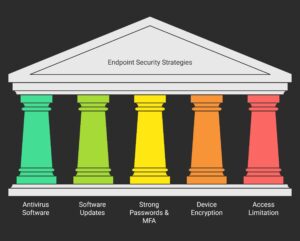
1. Install Antivirus and Anti-malware Software
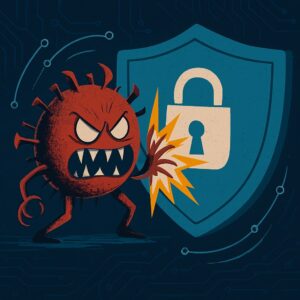
To safeguard your device from active threat scans and harmful file blocks, install antivirus software. Norton, McAfee, and Avast constantly monitor your computer, catching malicious content before it causes harm. They protect your private info, documents, and security, making you feel secure when you use computers, surf the web, or communicate online.
- Why it works: These tools are always on the lookout, spotting suspicious activity early and stopping it before it can do any damage.
2. Keep Your Software Up to Date
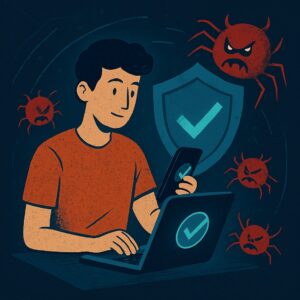
Updating your software is importent to protecting your devices and increasing their functionality. Regular upgrades often include software fixes for vulnerabilities that hackers may target. Update your operating system, applications, and security tools to the most recent versions.
Why it works: When security flaws are fixed, hackers find it more challenging to exploit outdated software.
3. Use Strong Passwords and Multi-Factor Authentication (MFA)
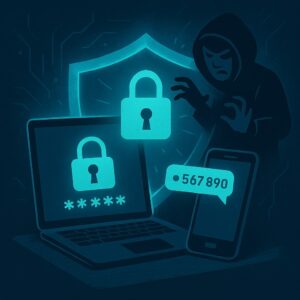
Your first line of defense against hackers is a strong password, so make sure it’s difficult to guess (sorry, “123456” isn’t good enough!). Even better, enable multi-factor authentication (MFA), which adds an extra layer of protection. With MFA, you’ll need something more than just your password—like a code sent to your phone—to log in.
- Why it works: Even if someone knows your password, it is much more difficult for them to access your accounts thanks to strong passwords and multi-factor authentication.
4. Encrypt Your Devices

Encrypting your data is like locking it in a box that only you can unlock. Your smartphone becomes a digital vault when you encrypt it. It needs your password or key to unlock. Even if someone steals your gadget, they’ll be staring at scrambled code instead of your files. It’s one of the simplest ways to keep your personal info safe from prying eyes.
- Why it works: Encryption protects your sensitive data, even if your device falls into the wrong hands.
5. Limit Access to Sensitive Data
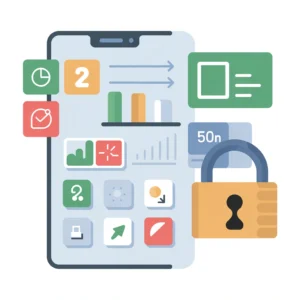
If you’re running a business, it’s essential to limit access to sensitive data. Only give people access to the information they really need. For example, not everyone in the company needs to see the same data. Restricting access reduces the possibility of unintentional leaks or illegal access.
- Why it works: By limiting access, you reduce the chances of sensitive data being exposed or compromised.
Best Tools for Endpoint Security
Firewall
A firewall is like a security guard for your network, monitoring and controlling traffic that goes in and out of your device. It helps block harmful traffic and prevents unauthorized access.
Mobile Device Management (MDM) Tools
For businesses, MDM tools help you manage the security of mobile devices. They allow you to ensure devices are up to date, manage which apps can be loaded, and remotely erase data if a device is stolen or lost.
Endpoint Detection and Response (EDR) Tools
EDR tools are made to assist with real-time threat detection and response. Tools like CrowdStrike or SentinelOne continuously monitor your devices for unusual activity and can help stop attacks before they cause serious harm.
Educating Your Team or Family About Endpoint Security
Businesses must teach employees good cybersecurity practices. Taking small steps—such as connecting only to trusted Wi-Fi networks, avoiding suspicious links, and not opening unfamiliar downloads—can significantly reduce risk. Likewise, teaching family members at home about online threats helps protect personal information and keep everyone’s data secure.
FAQ
What is endpoint security, and why is it important?
To protect devices like laptops and phones from online threats, endpoint security employs tools like firewalls, encryption, and antivirus software. Endpoints are where more than 70% of hacks start (Fortinet, CrowdStrike), so protecting data, avoiding financial loss, and ensuring business operations run smoothly—primarily when employees work from home—are vital.
What are the common threats to endpoints, and how can I identify them?
Common endpoint threats include malware, phishing, ransomware, zero-day exploits, and insider attacks. They often access it through outdated software, malicious apps, or spotty Wi-Fi. Slow performance, pop-ups, odd network activity, or file changes are warning indicators. To stay safe, use EDR tools for real-time alerts, as well as frequent scans and phishing training.
What are the best practices for implementing endpoint security strategies?
Using next-generation protection, firewalls, encryption, and multi-factor authentication are some of the best ways to protect endpoints. Patch your software often, do audits on a regular basis, and switch to a zero-trust approach. Use DLP tools to keep private data safe, train users on safe browsing, and manage devices from afar. Before you make your plan, you should do a risk review.
What types of endpoint security solutions are available, and which one should I choose?
Endpoint security solutions include:
- EPP for blocking known threats
- EDR for detecting and responding to advanced attacks
- XDR for unified threat visibility across systems
- MDM for securing mobile devices
Choose based on your size, budget, and compliance needs. SMBs may prefer affordable EPP (e.g., Microsoft Defender), while enterprises benefit from integrated XDR (e.g., CrowdStrike). Look for scalability, easy integration, and regulatory alignment.
How can I boost endpoint security on a budget or for personal devices?
You don’t need a big budget to stay secure. Start with what’s already built into your device—Windows Defender or macOS Gatekeeper offer solid protection out of the box. Add a free antivirus, use a VPN when you’re on public Wi-Fi, and make sure automatic updates are turned on so you’re not left exposed.
Strong passwords, regular backups, and limiting app permissions go a long way. Encrypt your device if possible, and disable any services you don’t actually use. According to Cimcor, these simple habits can cut your risk by up to 80%—without spending a dime.
Final Thoughts
Endpoint security doesn’t have to be complex—it just has to be consistent. By taking a few smart steps—like installing trusted antivirus software, keeping systems updated, using strong passwords, and enabling multi-factor authentication—you can dramatically reduce your risk. For business owners, educating your team is just as critical. A well-informed team is your first line of defense.
It’s time to act. Please don’t wait for a hack to remember how important it is to protect your data. Check your devices, ensure the settings are secure, and make protection a daily habit. Because you can rest easy knowing your ends are safe.