



We’ve all seen them—the emails that pop up in our inbox, supposedly from trusted companies or even friends, asking us to click on links, download attachments, or share personal information. All of these are common types of phishing scams, in which hackers try to get you to give them private data like your passwords or credit card numbers by pretending to be someone or something you trust.
The scariest part? Phishing attacks are becoming more challenging to spot, and the warning signs are often easy to miss.
In this article, we’ll highlight the common red flags that many people overlook when it comes to phishing attacks. By the end, you’ll be able to spot these scams before they get to you.
What Is a Phishing Attack?
When hackers try to trick you, it’s called a phishing attack. They do this to steal your personal information, such as your email password, banking details, or even your Social Security number. They often do this by pretending to be someone or something trustworthy, like a bank or a popular retailer. They may send you an email that looks legitimate, or they might direct you to a fake website that mimics the real one.
The primary goal of these attacks is typically to steal your data, trick you into giving them money, or gain control of your online accounts. As phishing scams become more creative, it becomes increasingly complex to distinguish between real and fake. That’s why we must remain vigilant.
How Phishing Attacks Work
Phishing attacks often begin with fake emails that appear to come from a reputable source. For example, an attacker might pretend to be your bank and say, “We’ve detected unusual behavior. Click this link to confirm your account.” To make matters worse, they often employ psychological tactics, such as creating a sense of urgency or fear, to prompt a rapid response without careful consideration.
The problem is that many people rely only on spam filters or antivirus software for protection. However, these tools cannot catch every threat. Phishing emails can still slip through, and if you click on a malicious link or open a fake attachment, you may unknowingly end up on a fraudulent website or even download malware.
In short, a phishing attack occurs when a hacker attempts to trick you into revealing personal or sensitive information.
Common Phishing Warning Signs You Miss Daily
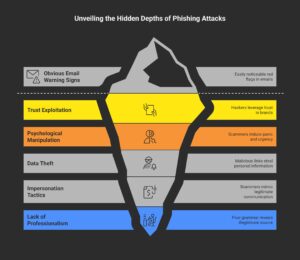
1. Emails from Trusted Brands That Look Off
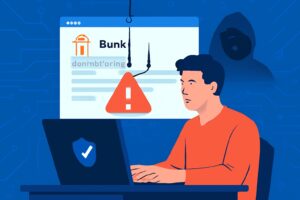
Have you ever received an email that appears to be from your bank or a major retailer, but something doesn’t feel right? The email address may seem unusual, or the formatting may appear off. Often, phishing emails come from addresses that are one letter different from a legitimate company’s, and the formatting might look sloppy.
- Why it works: Hackers rely on your trust and hope you won’t notice these tiny details. Always double-check the sender’s email address and be wary of odd formatting.
2. Urgent and Scary Language
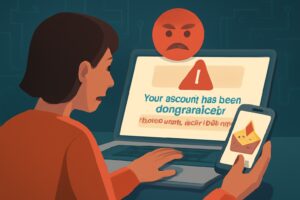
Phishing emails are notorious for instilling fear. You may encounter statements such as “Your account has been compromised” or “Immediate action is required.” These messages are intended to compel you to act before you have fully considered the ramifications.
- Why it works: When you’re scared or in a rush, you’re more likely to click without thinking. This is what scammers are counting on.
3. Links or Attachments You Weren’t Expecting
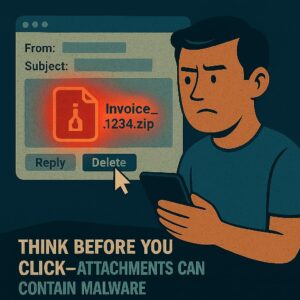
If you receive an email from someone you don’t know—especially one containing a link or attachment—it’s a huge red flag. In many cases, phishing emails include malicious attachments or deceptive links that, when clicked, can lead to malware infections or fake websites.
Why it works: These links or attachments may appear harmless at first. However, once clicked, they can steal your data or secretly install malicious software on your device.
4. Asking for Sensitive Information
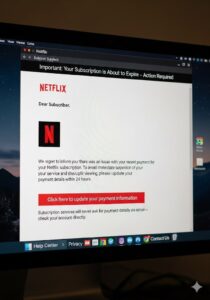
It’s a big red flag if an email asks for your bank details, login credentials, or Social Security number. After all, legitimate companies will never request this kind of sensitive information over email.
Why it works: Scammers often use tactics such as “account verification” or “security update” to make their request sound urgent and believable. In reality, their goal is to trick you into handing over personal information. That’s why you should never share sensitive data through email.
5. Time-Sensitive Threats
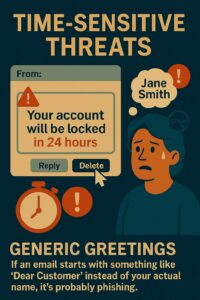
Another common trick is when phishing emails say things like, “Your account will be locked in 24 hours” or “This is your last warning.” These urgent threats pressure you into acting fast, often leading you to make a rash decision.
-
Why it works: The fear of missing out or losing access to something important can cause you to click on links or share information without considering the consequences.
6. Generic Greetings
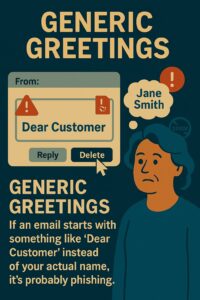
An email is likely a phishing attempt if it begins with a generic greeting, such as “Dear Customer,” rather than your name. Legitimate companies frequently personalize emails by addressing you by name. Scammers, on the other hand, send bulk emails to a large number of people and often skip this stage, instead using ambiguous pleasantries to expand their reach. Always be cautious of emails that lack personalization.
- Why it works: Scammers send out thousands of emails at once, so they use generic greetings to cast a wider net. Personalization is a sign that the message is legitimate.
7. Poor Grammar and Spelling Mistakes
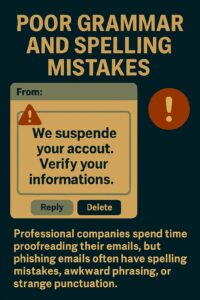
Professional companies spend time proofreading their emails, but phishing emails often have spelling mistakes, awkward phrasing, or strange punctuation.
-
Why it works: Cybercriminals often rush these emails, and their lack of attention to detail can be a dead giveaway. If you notice mistakes, it’s a sign the email isn’t from a reputable source.
8. Inconsistent Branding
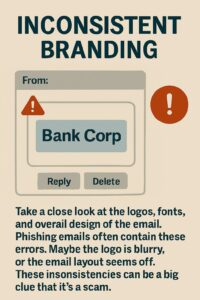
Take a close look at the logos, fonts, and overall design of the email. Phishing emails often contain these errors. Maybe the logo is blurry, or the email layout seems off. These inconsistencies can be a big clue that it’s a scam.
-
Why it works: Scammers attempt to mimic trusted brands, but they often fall short in terms of design quality. Always look out for visual red flags.
Real-Life Case Study: The 2020 Twitter Phishing Attack
A major security breach occurred on Twitter in July 2020 when hackers attacked several well-known accounts, including those of Bill Gates, Barack Obama, and Elon Musk, to spread a Bitcoin fraud. By pretending to be Twitter IT personnel, the attackers used a spear-phishing approach over the phone to trick staff members into disclosing their login information. Once inside, they hijacked accounts and posted fraudulent messages urging followers to send Bitcoin with the promise of doubling their money. The scam resulted in the theft of approximately $117,000 in Bitcoin. Twitter responded by locking down affected accounts, removing fraudulent tweets, and implementing stricter security measures. The incident highlighted the importance of securing internal systems and educating employees about phishing threats.
- For a detailed analysis of the incident and its implications, you can read the full report here: Department of Financial Services.
How to Protect Yourself from Phishing Attacks
1. Verify the Sender
If you’re ever unsure about an email, first verify the sender’s email address. Then, contact the company or person through their official website or phone number before clicking on any links.
2. Avoid Suspicious Links or Attachments
Therefore, don’t click on any link or download an attachment unless you’re certain it’s safe. If the email looks suspicious, it’s always better to be cautious.
3. Use Multi-Factor Authentication (MFA)
In addition, enable multi-factor authentication on your accounts. This way, even if a hacker steals your password, they’ll still need a second verification step to get in.
4. Be Cautious of Pop-Ups and Unsolicited Messages
Likewise, be wary of pop-ups or messages that pressure you to act quickly. Instead, take a moment to think before clicking on anything unexpected.
5. Keep Software Up to Date
Furthermore, always make sure your software, including your browser and antivirus, is up to date. Security patches in these updates help protect you from the latest threats.
6. Install Anti-Phishing Software
Finally, use trusted security software that can detect and block phishing attempts. These tools can alert you to potential threats and help protect your information.
FAQ
1. How can I tell if an email is phishing?
Look out for emails that greet you with “Dear Customer” (not your name), scare you with urgent messages, or have links that look weird. If something feels off, double-check before clicking!
2. What should I do if I clicked on a phishing link by mistake?
First, don’t panic! Quickly disconnect from the internet, change your passwords, and tell your bank or service provider. Better safe than sorry!
3. Can phishing attacks happen on social media?
Yep! Phishing isn’t just in emails. Hackers can impersonate your friends or brands on social media, attempting to trick you into sharing personal information or clicking on malicious links.
4. Are antivirus software and spam filters enough to protect me from phishing?
They help, but they’re not perfect! Stay smart, and don’t click on anything suspicious. Always double-check before opening emails or links.
5. How can I protect my business from phishing attacks?
Educate your team, utilize email filters, and implement multi-factor authentication (MFA) to enhance security. Keep everything up to date and stay alert—phishing can happen to anyone.
Conclusion
Phishing attacks are sneaky—and they’re getting better at fooling people every day. However, the good news is that once you know what to look for, you’re already one step ahead.
Be cautious of suspicious emails, vague greetings such as “Dear user,” and messages that attempt to scare you into clicking quickly. These are all classic signs that something’s off.
The best defense? Stay alert. Double-check who’s really sending that message, and don’t hesitate to pause before clicking on anything. Add extra layers of protection, such as multi-factor authentication (MFA), and you’ll make life a lot harder for hackers.
Bottom line: don’t wait for trouble to find you. Stay sharp, take control, and keep your data safe.